Connecting GitHub
Install the Nairi GitHub App so agents can read your repos, push feature branches, and open pull requests. Scope access per repository or to the whole org.
This page walks through installing the Nairi GitHub App and attaching repositories to your agents.
What this unlocks
- Agents can clone any repo you've granted access to and read the code while running a task.
- Agents can create branches, push commits, and open pull requests on your behalf.
- Prompts like
@Nairi review PR #123or@Nairi fix the failing test in auth and open a PRbecome possible.
Prerequisites
- Owner or admin permission on the GitHub org (or user account) that owns the repos.
Step 1 - Install the Nairi GitHub App
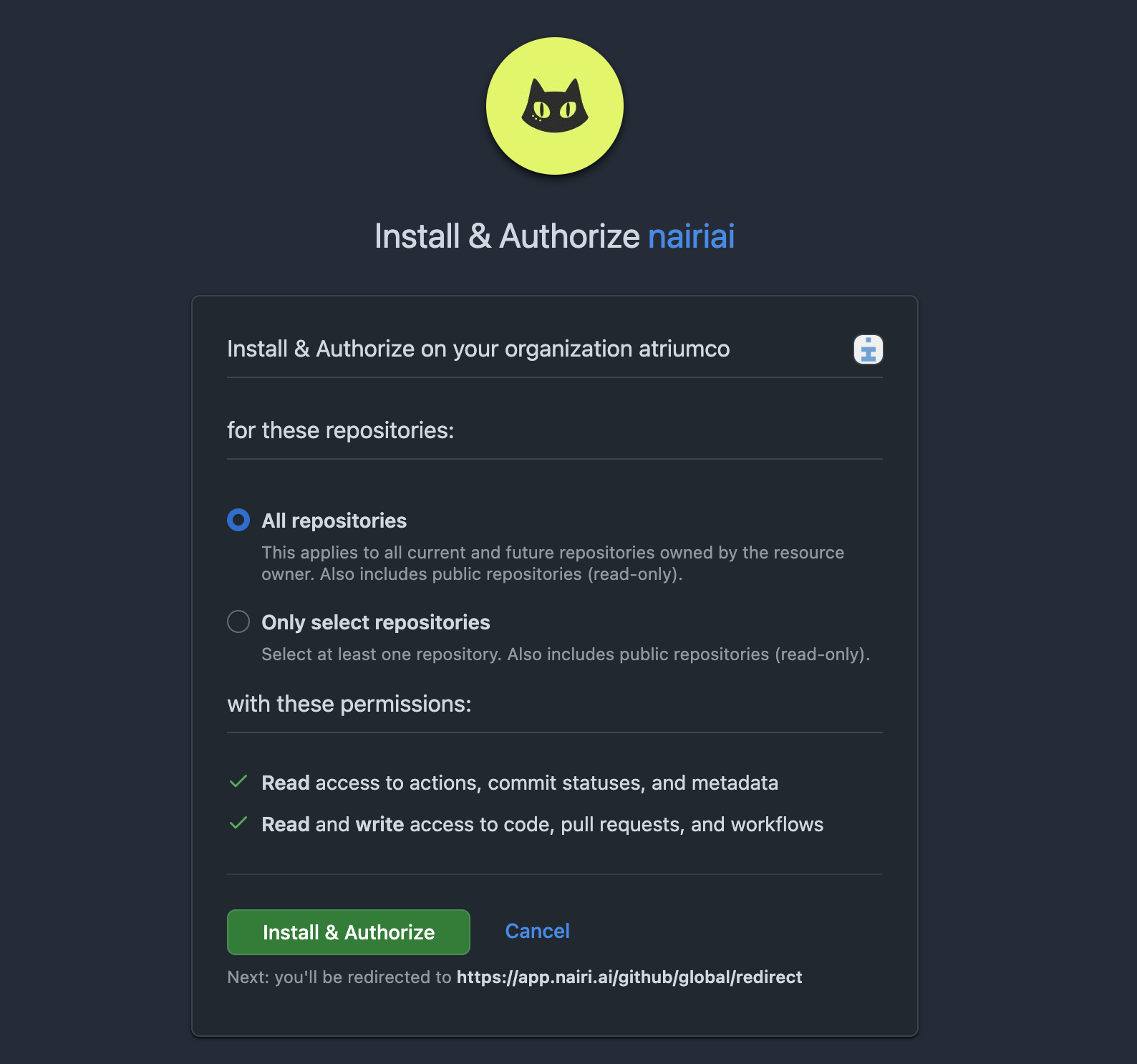
In the dashboard, go to Settings → Integrations → GitHub → Connect. You'll be redirected to GitHub to install the app from github.com/apps/nairiai.
Pick the account and choose which repos to grant access to:
- All repositories - easier setup; Nairi sees every repo, current and future.
- Only select repositories - tighter scope; you'll need to update the install in GitHub to add new repos later.
After install, GitHub sends you back to Nairi and the integration shows as connected.
Step 2 - Attach a repo to an agent
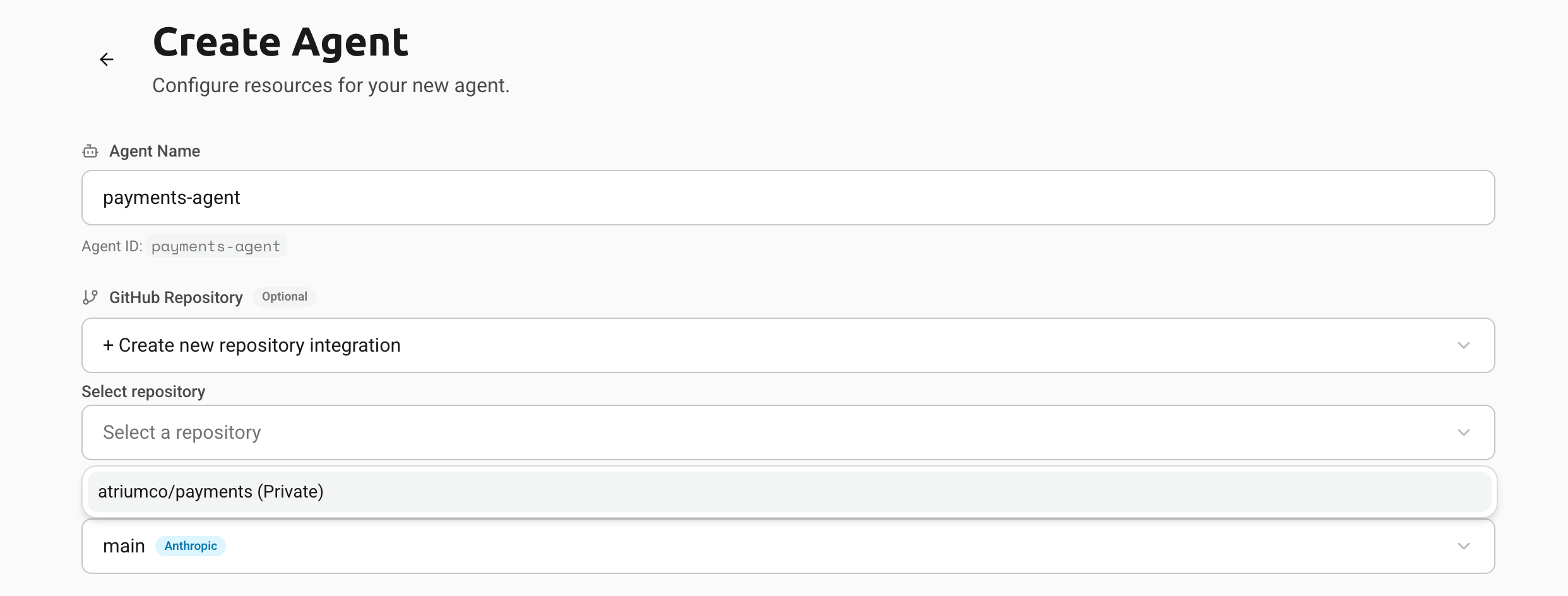
Open or create an agent at Fleet → agent → GitHub Repository and pick from the list of repos the App has access to. The agent will clone that repo into a fresh worktree at the start of every task it runs.
Managing the installation
- Add or remove repos: Settings → Integrations → GitHub → Configure (this links you back to GitHub's app-installation page).
- Uninstall: GitHub → Settings → Applications → Installed GitHub Apps → Nairi → Uninstall. This revokes Nairi's access to every repo at once.
Related
- Connecting a code repository - how the per-agent repo setting interacts with task overrides.
- Code reviewer on every PR - a worked playbook that uses this integration.
Can't find what you're looking for? Email support@nairi.ai.
Connecting Nairi to Discord
Install the Nairi Discord bot, route channel messages to an agent, watch tasks unfold in threads, and connect multiple servers to a single org.
Connecting your LLM provider
Tell Nairi which model and provider your agents should use - Claude, Codex, or OpenCode - and supply the API key. Switch providers per agent.