Live Agent Progress
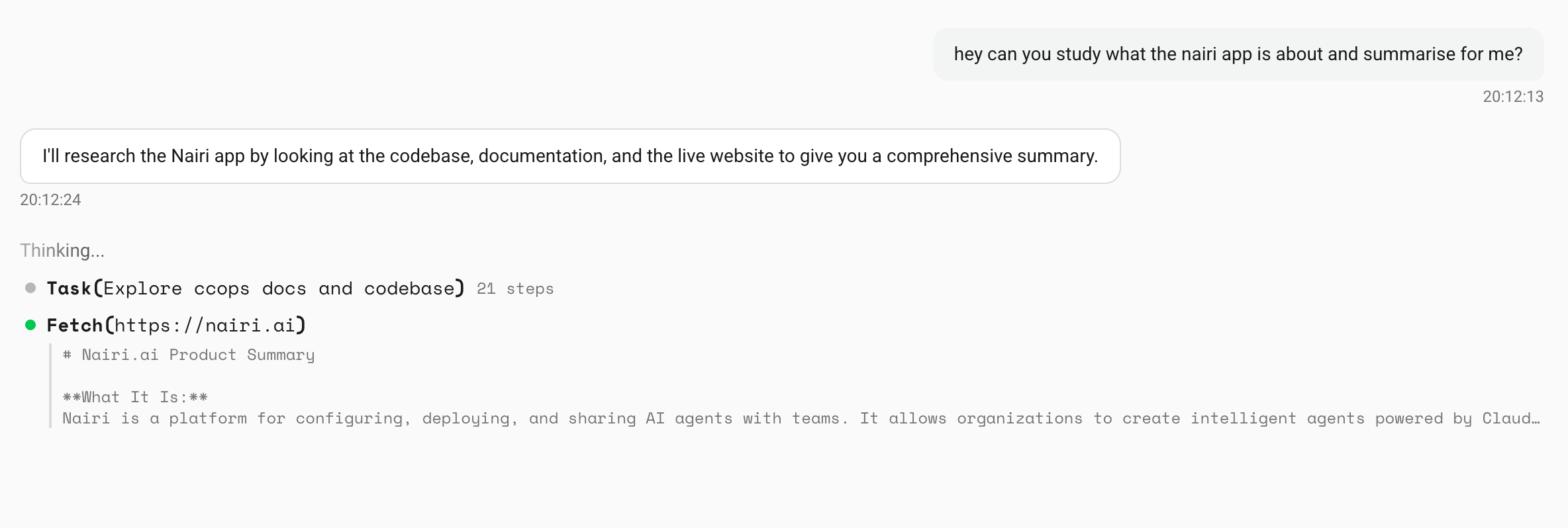
You can now watch your agent work in real time. As it runs, you'll see each step - tool calls, reasoning, subtask progress - stream into the conversation as it happens.
How it works
When your agent starts a task, the UI shows a live progress feed. Each tool call and reasoning step appears as it executes, with a spinner indicating what's currently active. If the agent delegates work to subtasks, those show up as nested steps in a tree view, so you can follow the full chain of what it's doing and why.
Once a step completes, it collapses and the next one takes focus. You always know where the agent is in the process.
Why this matters
Before, you'd send a message and wait for the final answer with no visibility into what was happening in between. Now you can tell immediately if the agent is on the right track, or if you should jump in and redirect it.
Also in this update
- Agent query command - type
/nairi agentin any Slack or Discord channel to see which agent is assigned to it.