Connected Channels on Agent Cards
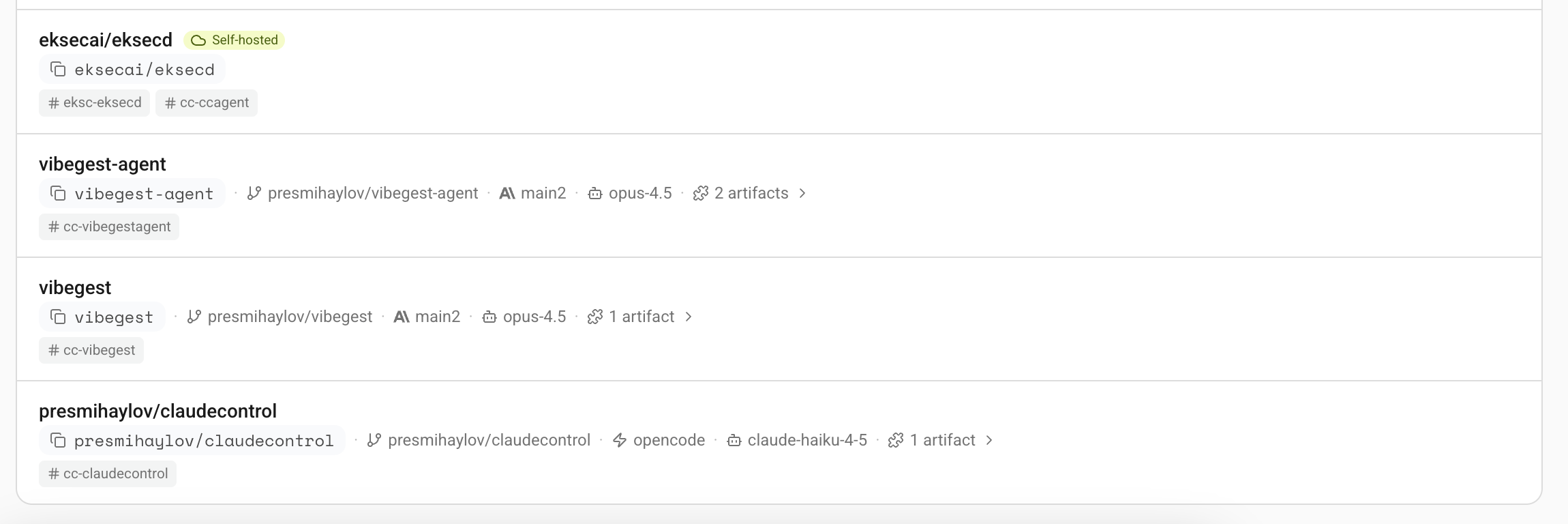
Your agent cards now show which Slack and Discord channels they're connected to.
How it works
Each agent card on the dashboard displays channel tags for every Slack or Discord channel the agent is connected to. You can see this at a glance in the fleet overview, so it's easy to tell which agents are active where.
Also in this update
- Slack forwarded messages - you can now forward Slack messages to an agent's channel and it will properly read the forwarded content. Previously, forwarded messages appeared empty.
- Share link cleanup - public share links no longer show internal progress messages like tool calls and heartbeats.
- Non-ASCII text support - job titles and messages with Cyrillic, CJK, emoji, or other non-ASCII characters no longer cause errors.